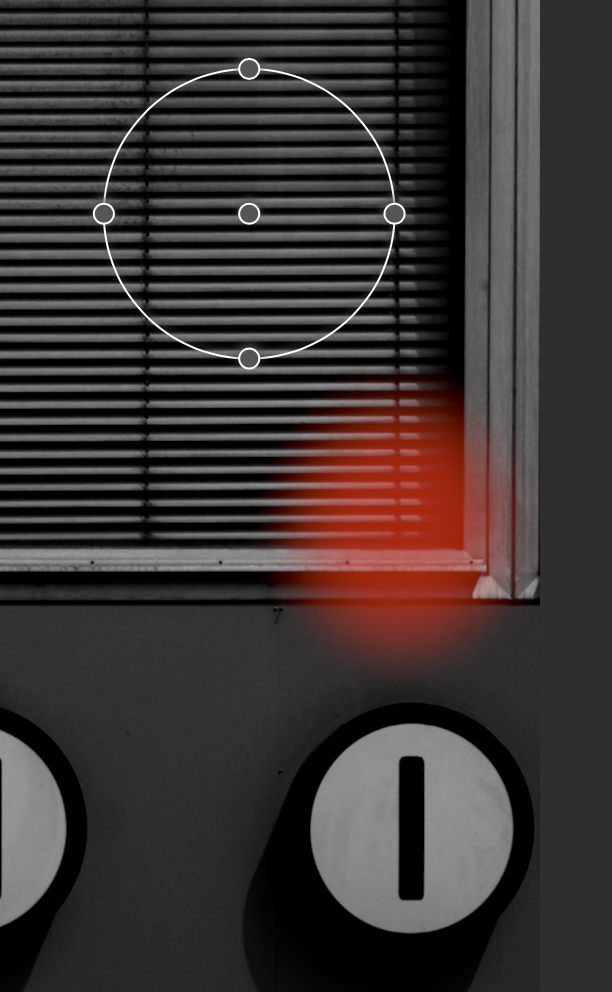
Masks are shifted (macOS 15)


Home Forums Nitro for Mac Masks are shifted (macOS 15)

Viewing 2 posts - 1 through 2 (of 2 total)
  • Author
    Posts
  • #143261
    HansKG
    Participant

    I am facing the following problem: When I create a mask, the actual mask (shown in red) is in a different place (shifted) than the adjustments for the mask (size, shape, etc.). Interestingly, I also experience this phenomenon with Pixelmator Pro (older version 3.7). 

    Until now, I thought it was due to Nitro. Since I rarely work with masks, this wasn’t a issue for me. However, I now have an image that I want to optimize for printing. Could this be a bug in macOS 15 (15.7.1)? Because there are two apps with the same behavior.

    Thank you in advance for your answers.
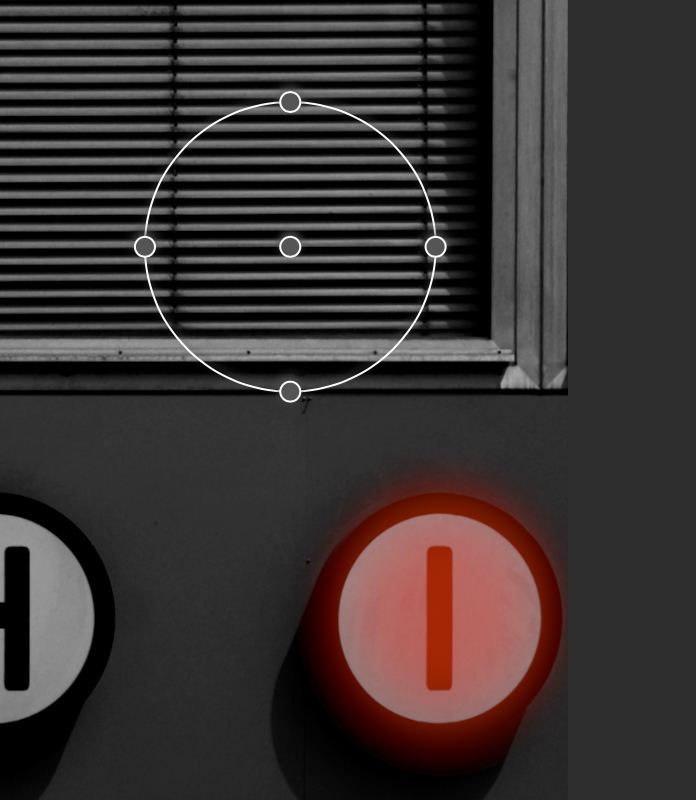
    Screen1
    Screen2

    #143357
    Nik Bhatt
    Keymaster

    Do you have crop or perspective on the image? There is a known problem with radial gradients and things that change the size of the image. It’s a surprisingly tricky problem so I have not figured out a good solution yet. In the mean time, you can turn off crop and apply your gradient and then turn it back on.

Viewing 2 posts - 1 through 2 (of 2 total)
  • You must be logged in to reply to this topic.